
Most businesses now run on software as a service (SaaS): email, file storage, CRM, accounting, HR, project management, design tools and, increasingly, AI assistants. Each one holds some of your data, and each one is a possible way in for attackers.
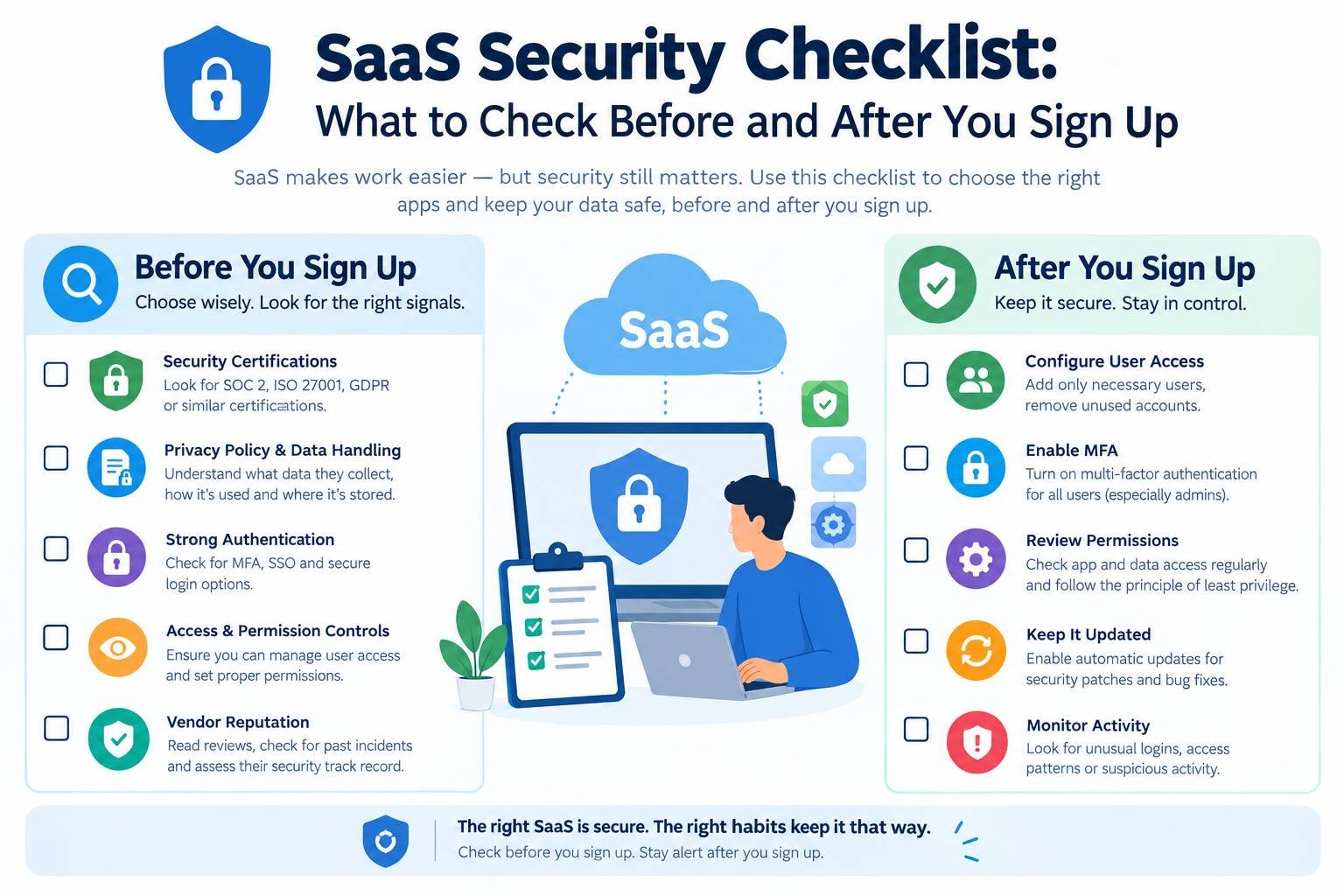
SaaS providers handle a great deal of security for you, but not all of it. Weak passwords, excessive permissions, forgotten accounts and risky integrations remain your responsibility. This checklist covers what to check before choosing a SaaS product and how to keep it secure once you are using it.
Important: This article is general information, not legal advice. See our Disclaimer.
Key Takeaways
- Security in SaaS is shared. The provider secures the platform; you secure how it is configured and used.
- Check certifications, data location, data processing terms and breach notification before signing up.
- Enable single sign-on or multi-factor authentication, apply least privilege and review access regularly.
- Control integrations and AI features, which can expose data in unexpected ways.
Understand the Shared Responsibility Model
With SaaS, responsibilities are split:
| The Provider Is Usually Responsible For | You Are Usually Responsible For |
|---|---|
| Physical data centre security | Who has accounts and what they can access |
| Infrastructure, network and platform security | Authentication settings, such as MFA and SSO |
| Application security and patching | How the product is configured and shared |
| Platform availability and system backups | Connected integrations and third-party apps |
| Security certifications and audits | Your data, including what you upload and classify |
Many SaaS security incidents originate on the customer side: a public sharing link, an account without MFA or an employee who left but retained access. The UK NCSC’s cloud security guidance explains how to assess providers and configure services securely.
Part 1: Before You Sign Up (Vendor Due Diligence)
Security Certifications and Reports
- [ ] Does the vendor hold ISO/IEC 27001 certification? The current version is ISO/IEC 27001:2022.
- [ ] Can it share a SOC 2 Type II report? These reports are produced under the AICPA’s System and Organization Controls framework and describe how controls operated over a period.
- [ ] Is it listed in the Cloud Security Alliance’s STAR Registry?
- [ ] For UK public sector or supply chain work, does it hold Cyber Essentials or Cyber Essentials Plus?
Certifications do not guarantee security, but they show that an independent auditor has assessed the vendor’s controls. Check what the certification covers, as its scope may not include every product.
Data Protection and Location
- [ ] Where is your data stored and processed? Can you choose a region, such as the UK or EU?
- [ ] Does the vendor offer a data processing agreement (DPA) that meets UK GDPR and EU GDPR requirements for processors?
- [ ] Which sub-processors does it use, and will it notify you of changes?
- [ ] For transfers outside the UK or EU, what legal mechanism does it use, such as an adequacy decision, the EU-US Data Privacy Framework, standard contractual clauses or the UK International Data Transfer Agreement?
- [ ] How quickly will it notify you of a breach? Under GDPR, certain breaches must be reported to the regulator within 72 hours of awareness, so prompt notification from your provider is important.
The ICO’s guidance on contracts between controllers and processors explains what a DPA should include. For personal data used with AI tools, see our guide to GDPR and AI.
Security Features
- [ ] Single sign-on (SSO) using standards such as SAML or OpenID Connect. Check whether SSO is limited to expensive subscription tiers.
- [ ] Multi-factor authentication (MFA), ideally with phishing-resistant options such as passkeys or security keys.
- [ ] Role-based access control to apply the principle of least privilege.
- [ ] Audit logs that record logins, changes and data exports and can be exported.
- [ ] Encryption in transit (TLS) and at rest.
- [ ] User provisioning and deprovisioning, for example through SCIM, to create and remove accounts automatically.
Reliability and Exit
- [ ] What is the uptime commitment in the service level agreement?
- [ ] How are backups handled, and can you restore data deleted by mistake?
- [ ] Can you export all your data in a usable format if you leave?
- [ ] What happens to your data after the contract ends, and how is it deleted?
AI Features
Many SaaS products now include AI features. Ask:
- [ ] Is your data used to train the vendor’s or a third party’s AI models? Can you opt out?
- [ ] Which AI providers process your data, and where?
- [ ] Can administrators enable or disable AI features and control who uses them?
Our guide to an AI governance framework for small teams explains how to set simple rules for AI tools.
Part 2: Secure Setup
When you first configure a SaaS product:
- [ ] Connect it to SSO or enforce MFA for every user, including administrators.
- [ ] Limit administrator accounts to people who genuinely need them, and use separate admin accounts where possible.
- [ ] Set default sharing to private or internal rather than allowing public links.
- [ ] Review default settings for external sharing, guest access, file downloads and data retention.
- [ ] Enable audit logging and, where possible, send logs to a central location.
- [ ] Set up alerts for suspicious events, such as logins from new countries or bulk downloads.
- [ ] Document the configuration so it can be reviewed and repeated.
Part 3: Manage Access Over Time
- [ ] Manage joining, role changes and departures. Add access when people join, update it when they change roles and remove it on their last day.
- [ ] Conduct quarterly access reviews. Check who has access, especially administrator privileges, and remove unnecessary permissions.
- [ ] Avoid shared accounts. If unavoidable, store credentials in a password manager and rotate them when people leave.
- [ ] Manage contractors and guests. Give them time-limited access and review it regularly.
Part 4: Control Integrations and Third-Party Apps
Integrations are one of the most overlooked SaaS risks. When a user clicks “Allow” on a third-party app, it may gain broad access to email, files or customer data through OAuth permissions.
- [ ] Restrict who can approve integrations or require administrator approval.
- [ ] Review connected apps regularly and remove unused ones.
- [ ] Check requested permissions. A calendar tool should not need access to all your files.
- [ ] Protect API keys and tokens. Store them securely, grant minimum permissions and rotate them regularly.
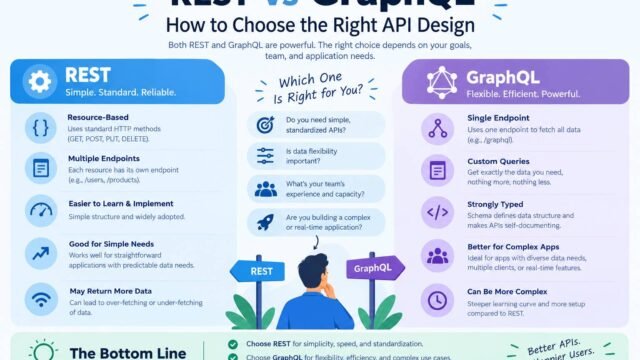
If you build your own integrations, our guide to REST vs GraphQL API design covers authentication and API security basics.
Part 5: Monitor and Respond
- [ ] Review audit logs for unusual activity, or use a tool that monitors them automatically.
- [ ] Watch for shadow IT, where teams sign up for tools without approval. A quick approval process can reduce this risk.
- [ ] Maintain an inventory of every SaaS tool, its owner, the data it holds and its renewal date.
- [ ] Include SaaS in your incident response plan. Know how to lock accounts, revoke sessions and contact each vendor’s support team quickly.
Larger organisations sometimes use SaaS security posture management (SSPM) tools to check configurations across many applications. Small teams can usually cover the essentials with a spreadsheet inventory and quarterly reviews.
Part 6: Plan Your Exit
- [ ] Export your data regularly, or at least test that exports work.
- [ ] Before cancelling, export everything you need and confirm deletion in writing.
- [ ] Remove integrations, API keys and SSO connections linked to the old service.
A Simple SaaS Risk Rating
Not every tool needs the same level of scrutiny. Rate each one according to the data it handles and its business importance.
| Risk Level | Examples | Level of Checks |
|---|---|---|
| High | Email, file storage, CRM, finance, HR and customer data platforms | Full due diligence, SSO and regular access reviews |
| Medium | Project management, internal wikis and marketing tools | Standard checks, MFA and annual reviews |
| Low | Tools without personal or sensitive data | Basic checks and MFA where available |
This approach keeps the process proportionate, so security does not block useful tools.
Connecting SaaS Security to the Bigger Picture
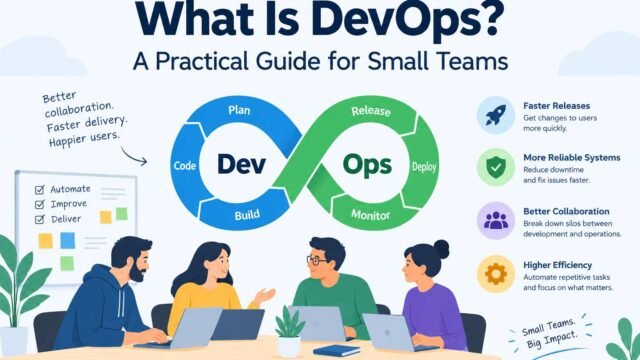
SaaS is only one part of your security strategy. Our website security checklist covers your public website, while our guide to DevOps for small teams explains how to build security into software delivery. If you are deciding whether to use SaaS, our guide to build vs buy software helps you weigh the options. Our guide to monolith vs microservices explains architecture choices if you decide to build.
Kaushal’s Note
In my opinion, SaaS security is a shared responsibility. Businesses should choose trustworthy providers, enable multi-factor authentication, limit user permissions and review access regularly. Even secure platforms can become vulnerable through poor configuration or unsafe integrations. My recommendation is to build simple security habits, protect sensitive data and review risks consistently to maintain customer trust.
Conclusion
SaaS makes powerful software affordable and easy to adopt, but security remains a shared responsibility. Check vendors before signing up, configure each tool securely from day one, control access and integrations, monitor unusual activity and plan your exit. Maintain a simple inventory and review it regularly so your SaaS tools support your business without unnecessarily exposing it.