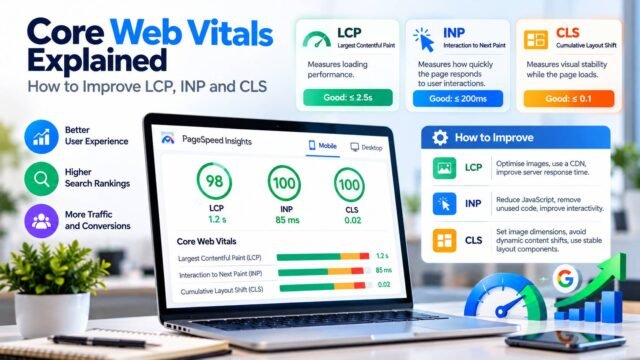

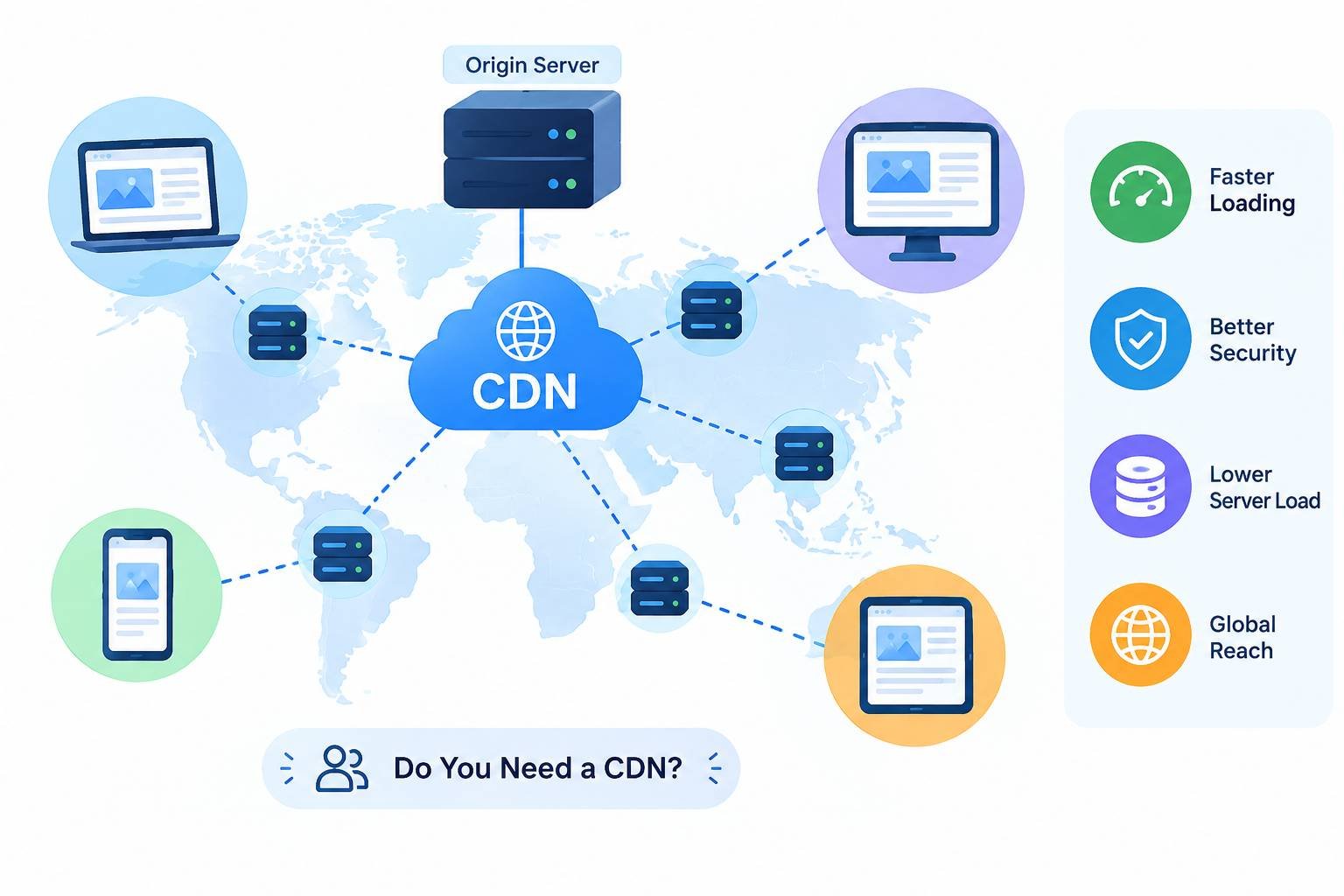
If your website is hosted on a server in London, a visitor in London gets a quick response. A visitor in Toronto or Los Angeles has to wait longer because every request travels thousands of miles and back. A content delivery network (CDN) solves this by storing copies of your website’s files on servers around the world, close to your visitors.
This guide explains what a CDN is, how it works, its benefits and trade-offs, and how to decide whether your website needs one.
Key Takeaways
- A CDN serves your website’s files from servers close to each visitor.
- It improves speed, reliability, and security while reducing the load on your hosting server.
- It is especially valuable if your audience is spread across countries or continents.
- Many CDNs offer free or low-cost plans, and some hosting providers include one.
What Is a CDN?
A content delivery network is a group of servers, often called edge servers or points of presence, spread across many locations. When someone visits your site, the CDN delivers content from a location near them instead of directly from your main hosting server, known as the origin server.
Cloudflare’s learning centre article on CDNs and Google’s web.dev guide to content delivery networks both provide helpful introductions.
How a CDN Works
- A visitor requests a page or file from your website.
- The request goes to a nearby CDN edge server.
- If the edge server has a fresh copy (a cache hit), it sends the content immediately.
- If it does not have a copy (a cache miss), it fetches the file from your origin server, sends it to the visitor, and stores a copy for future requests.
- Cached copies are kept for a set period and refreshed according to cache rules and HTTP caching headers.
MDN’s guide to HTTP caching explains the headers that control this process.
What a CDN Can Cache
- Static files: Images, CSS, JavaScript, fonts, and downloadable files. This is the most common use.
- Full HTML pages: Content that is the same for every visitor, such as blog posts. This can provide significant performance improvements but requires careful configuration for dynamic content.
- Video and large media: Large files that benefit from being delivered from servers closer to visitors.
Personalised content, such as a logged-in dashboard or shopping basket, usually is not cached or is cached in a more limited way.
The Benefits of a CDN
1. Faster Loading
Shorter distances mean lower latency. Faster delivery of images, scripts, and pages can improve loading metrics, including Largest Contentful Paint, one of the Core Web Vitals.
2. Better Reliability
If your origin server is slow or briefly unavailable, many CDNs can continue serving cached content. They can also help absorb traffic spikes instead of allowing sudden increases in requests to overwhelm your hosting server.
3. Improved Security
Many CDNs include security features such as:
- DDoS protection: Helps absorb large floods of malicious traffic.
- Web application firewalls (WAF): Help block common web attacks.
- Bot management: Filters harmful automated traffic.
- Managed SSL/TLS certificates: Help secure connections between users and your website.
These features complement the steps in our website security checklist.
4. Lower Hosting Load and Costs
Because the CDN serves many files directly, your hosting server handles fewer requests. This can reduce bandwidth costs and delay the need to upgrade your hosting plan.
5. Modern Performance Features
CDNs often support modern protocols such as HTTP/3, compression formats such as Brotli, and automatic image optimisation.
The Trade-Offs
CDNs are useful, but there are a few considerations to keep in mind:
- Cache invalidation: Updated content may not appear immediately if older copies remain in the cache. You need a clear process for refreshing or clearing cached files.
- Configuration complexity: Incorrect cache rules can serve outdated content or expose private information. Personalised pages must be excluded from shared caching unless the configuration has been carefully designed and tested.
- Cost at scale: Free plans can work well for small websites, but high traffic, video delivery, or advanced security features may increase costs.
- Data protection: A CDN processes visitor requests, including IP addresses. Review the provider’s data processing terms and where data is handled, especially if you serve visitors in the UK or EU.
- Another dependency: If the CDN experiences an outage, your website may be affected, although major providers generally offer reliable services.
Do You Need a CDN?
| Situation | Is a CDN Recommended? |
|---|---|
| Your visitors are spread across several countries or continents. | Yes, strongly recommended. |
| Your website contains many images, videos, or large files. | Yes. |
| You expect traffic spikes from campaigns or media coverage. | Yes. |
| You want additional protection against online attacks. | Yes. |
| Your website is small, and most visitors are near your server. | Optional, but still useful for security. |
For a site like AiWebSoft, which writes for readers in the UK, Europe, the US, and Canada, a CDN is one of the simplest ways to improve content delivery for visitors in different regions.
Common CDN Options
- Built into your hosting provider or platform: Many managed hosts and static hosting platforms include a CDN. Check your existing setup before adding another service.
- Standalone CDN and security providers: Services such as Cloudflare, Fastly, Akamai, and Bunny.net can sit in front of many types of websites.
- Cloud provider CDNs: Services such as Amazon CloudFront integrate closely with their respective cloud platforms.
Our guide to choosing web hosting explains how CDNs fit with different hosting options.
How to Set Up a CDN
- Check your current setup. Your hosting provider may already include a CDN.
- Choose a provider. Compare locations, features, pricing, and data protection terms.
- Connect your domain. This usually involves changing DNS settings or adding a CNAME record.
- Set cache rules. Cache static files for an appropriate period and carefully decide which HTML pages can be cached.
- Exclude private areas. Protect admin pages, checkouts, and logged-in sections from inappropriate caching.
- Enable security features. Consider a web application firewall and DDoS protection.
- Test thoroughly. Check logins, forms, checkout processes, and content updates.
- Measure the results. Use PageSpeed Insights and real-user performance data.
If you use a modern framework or a headless setup, your deployment platform may integrate directly with a CDN. See our comparison of Next.js vs Astro vs Nuxt.
How to Tell if Your CDN Is Working
Check your website’s response headers using your browser’s developer tools. Many CDNs add a header indicating whether a request was a cache hit or a cache miss. Your CDN dashboard may also show the cache hit ratio, which represents the share of requests served from the edge. A higher ratio can mean faster delivery and less load on your origin server, although the result depends on your caching rules and content.
Kaushal Dave’s Perspective
In my experience, website speed becomes especially important when your readers come from different parts of the world. A website might load quickly for someone near its hosting server but feel noticeably slower to visitors in other countries. I believe a CDN is a practical way to improve content delivery while reducing the load on the main server. For smaller websites, it may not always be essential, but as traffic grows or the audience becomes more international, it is worth considering. My advice is to check whether your hosting provider already includes a CDN and measure your website’s performance before investing in one.
Conclusion
A CDN can be a cost-effective way to improve website performance, deliver content to visitors in different regions, and reduce pressure on your hosting server. Depending on the provider, it can also add useful security features. If your audience is spread across multiple regions or you want a faster and more resilient website, a CDN is worth considering. Start by checking your current hosting setup, identifying performance bottlenecks, and choosing a solution that fits your website’s needs and budget.