

Your web host affects almost everything about your website: how fast it loads, how often it goes down, how secure it is and how easily it can grow. Yet many businesses choose hosting based only on the lowest introductory price.
This guide explains the main types of hosting in plain language, the factors that really matter and the questions to ask before you sign up.
Key takeaways
- Shared hosting is cheapest but offers the least performance and control.
- VPS and cloud hosting give more power and flexibility but need more technical skill, unless managed.
- Managed hosting trades a higher price for less maintenance work.
- Look beyond the introductory price: check renewal costs, support, backups, security and data centre locations.
The Main Types of Web Hosting
| Type | How it works | Best for | Typical trade-offs |
|---|---|---|---|
| Shared hosting | Many websites share one server’s resources | New, small and low-traffic sites | Cheapest, but performance can be affected by other sites |
| VPS (virtual private server) | Your own virtual server with guaranteed resources | Growing sites that need more power and control | More responsibility for setup and maintenance |
| Cloud hosting | Resources from a large provider’s infrastructure that can scale up and down | Sites with variable or growing traffic, custom applications | Flexible, but pricing and setup can be complex |
| Managed hosting | The provider handles updates, security, backups and performance tuning | Businesses that want to focus on content, not servers | Higher price, sometimes fewer customisation options |
| Static and edge hosting | Pre-built pages served from a global network | Static sites, headless front ends, documentation | Very fast and secure, but not suited to traditional dynamic sites |
Shared hosting
Shared hosting is where most small websites begin. It is inexpensive and usually includes a control panel, email accounts and one-click installers for platforms like WordPress.
The downside is that resources such as CPU and memory are shared. If another site on the same server gets a traffic spike, your site can slow down. Shared hosting is fine for a new blog or a small business site, but you may outgrow it as traffic increases.
VPS hosting
A VPS gives you a dedicated slice of a server’s resources. Performance is more predictable, and you can install the software you need. On an unmanaged VPS, you are responsible for updates, security and configuration, so it suits teams with technical skills.
Cloud hosting
Cloud hosting uses the infrastructure of large providers. You can add or remove resources as needed, deploy in data centres around the world and pay for what you use. It is powerful and flexible, but costs can be harder to predict. Our guide to cloud cost optimisation explains how to keep spending under control.
Managed hosting
With managed hosting, the provider takes care of technical tasks such as software updates, security monitoring, backups, caching and performance tuning. Managed WordPress hosting is especially popular. It costs more, but for many businesses the time saved is worth it.
Static and edge hosting
If your site is built with a static site generator or a modern framework that produces pre-built pages, static hosting platforms can serve it from a global network with excellent speed and very little to maintain. Some also support server-side functions. Our guide to serverless computing explains how these functions work.
The Factors That Really Matter
1. Performance
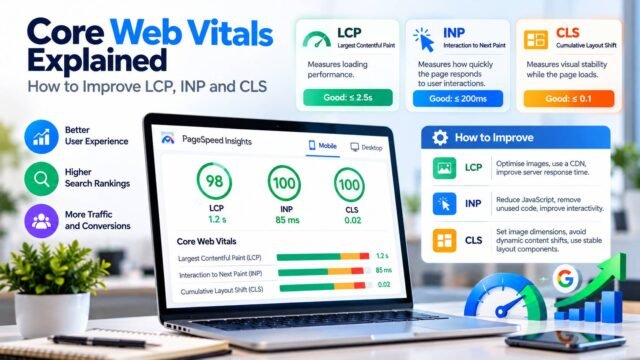
Your host has a direct effect on server response time, also called Time to First Byte (TTFB). A slow TTFB delays everything else, including your Core Web Vitals. Google’s TTFB guide explains what affects it.
Look for:
- Modern server software and current PHP versions (for PHP sites, check the officially supported PHP versions).
- Server-level caching.
- Fast storage, such as SSD or NVMe drives.
- Enough CPU and memory for your traffic.
2. Data centre location
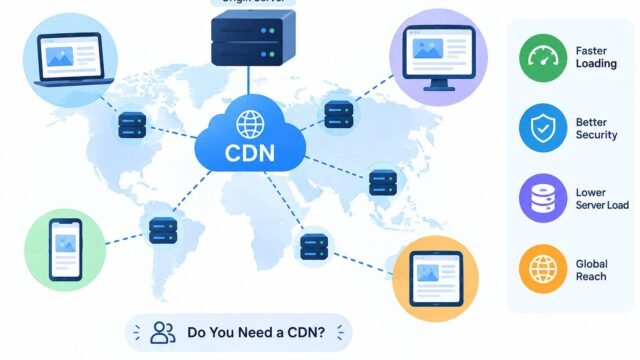
The closer your server is to your visitors, the faster your site responds. If most readers are in the UK and Europe, choose a data centre there. If your audience is spread across Europe and North America, use a content delivery network (CDN) to serve files from locations near each visitor. Our guide on what a CDN is explains how this works.
Data location also matters for data protection. If you handle personal data of UK or EU residents, check where data is stored and whether your host offers a data processing agreement.
3. Reliability and uptime
Look for a clear uptime commitment (often written as a percentage in a service level agreement) and find out what compensation, if any, you receive if it isn’t met. Independent reviews and status pages can show a host’s real track record.
4. Security
Good hosts provide:
- Free SSL/TLS certificates (many use Let’s Encrypt).
- A web application firewall (WAF) and protection against common attacks.
- Malware scanning and removal.
- Isolation between accounts on shared servers.
- Two-factor authentication for your hosting account.
Hosting is only one part of website security. Our website security checklist covers the rest.
5. Backups
Ask how often backups are taken, how long they are kept, where they are stored and how easy it is to restore them. Daily automatic backups with at least a few weeks of retention are a sensible minimum. Keep your own off-site backup as well.
6. Support
When something goes wrong, good support is invaluable. Check support hours, channels (chat, phone, tickets) and whether the support team has expertise in your platform.
7. Scalability
Can you upgrade easily as your traffic grows? Moving from one plan to another should be straightforward, without long downtime.
8. True cost
Many hosts advertise low introductory prices that rise significantly at renewal. Check:
- The renewal price, not just the first-term price.
- What is included, such as backups, SSL, email and CDN.
- Charges for extras, such as additional storage, bandwidth or site migrations.
Matching Hosting to Your Needs
| Your situation | Sensible starting point |
|---|---|
| New blog or small brochure site | Good-quality shared hosting or entry-level managed WordPress hosting |
| Growing content site or small online shop | Managed hosting or a well-resourced VPS |
| Business-critical site with steady traffic | Managed hosting or cloud hosting with professional support |
| Custom web application | Cloud hosting or a platform as a service |
| Static site or headless front end | Static or edge hosting with a CDN |
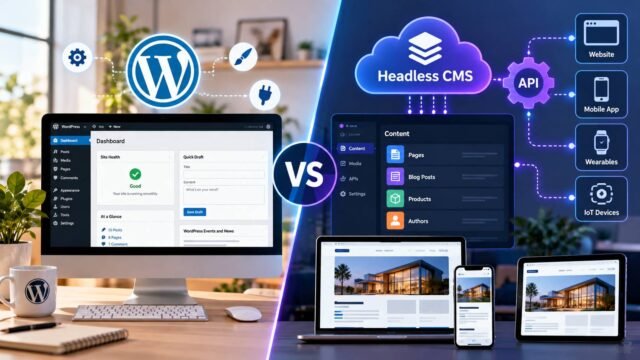
If you are also choosing a platform, our comparison of WordPress vs headless CMS explains how that decision affects hosting.
Questions to Ask Before You Choose a Host
- Where are your data centres, and can I choose one close to my audience?
- What is the renewal price after the first term?
- How often are backups taken, how long are they kept and how do I restore them?
- Is SSL included, and is it renewed automatically?
- What security measures are in place, including firewall and malware scanning?
- What uptime do you commit to, and what happens if you miss it?
- What support channels are available, and at what hours?
- How easy is it to upgrade to a larger plan?
- Do you offer free migration from my current host?
- Do you provide a data processing agreement for UK GDPR and EU GDPR purposes?
Moving to a New Host
If you decide to switch:
- Take a full backup of your site and database.
- Set up the site on the new host and test it using a temporary URL.
- Lower your DNS record’s time to live (TTL) a day or two in advance, so the switch spreads faster.
- Update DNS to point to the new host at a quiet time.
- Check SSL, forms, email and analytics after the move.
- Keep the old hosting active for a short time in case you need to roll back.
Red Flags to Watch For
Be cautious of hosts that offer “unlimited” resources with vague limits, charge for basic SSL, make backups an expensive add-on or have no clear information about data centre locations. These are often signs of hidden costs or weak service.
Conclusion
The right web host is one that matches your site’s size, traffic, technical needs and budget, both now and in the near future. Start with a reputable provider, choose a data centre near your audience, insist on good backups and security, and check renewal prices carefully. A small investment in better hosting often pays for itself in speed, reliability and peace of mind.
Published by AiWebSoft.